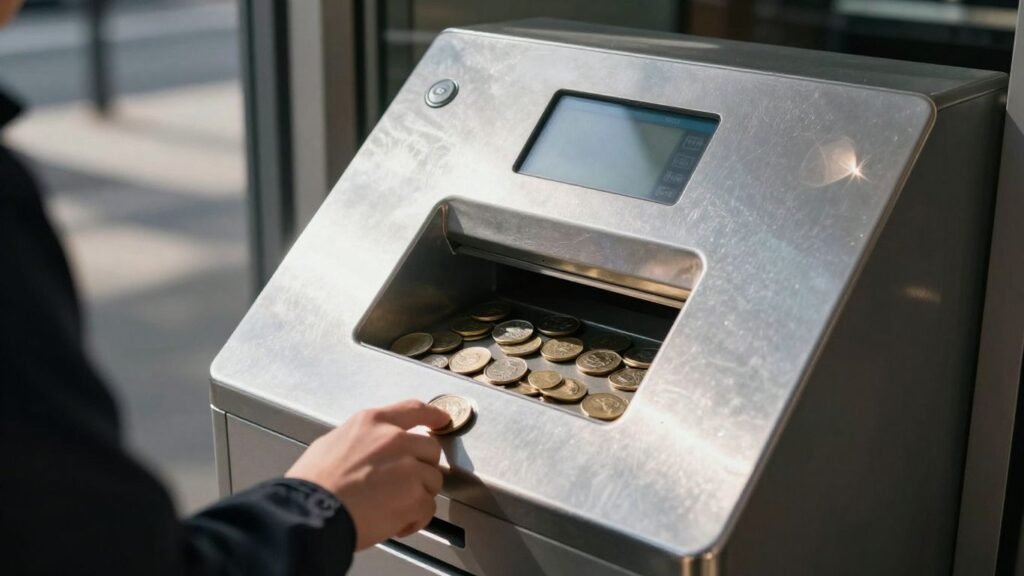
Got a jar full of change sitting around? If you’re in Austin and looking to turn that loose coin into something more useful, you’ve got options. Forget spending hours sorting and rolling coins yourself. By 2026, finding a convenient way to handle your coin sorting Austin needs is easier than ever. We’ll walk you through how to use those handy kiosks and what services are out there.
Key Takeaways
- Coinstar kiosks make coin sorting easy; just dump your coins in, no need to sort or roll them beforehand.
- You can get cash back, choose eGift Cards for no fees, or donate your change to charity at Coinstar kiosks.
- Make sure your coins are clean and dry before using the kiosk to avoid jams, and remove any foreign objects.
- Cash vouchers should be redeemed the same day they are issued at the store where you used the kiosk.
- While Coinstar is a primary option, explore alternatives like Post Office self-service kiosks for coin processing.
Understanding Coin Sorting Austin Services
Let’s talk about getting that jar of change sorted out here in Austin. It can feel like a mountain of pennies, nickels, dimes, and quarters, right? Luckily, there are some pretty straightforward ways to turn that heavy metal into usable cash or other options. The most common way most folks handle this is by using Coinstar kiosks. You’ve probably seen them in grocery stores or other retail spots around town. These machines are designed to take the hassle out of counting your coins.
How Coinstar Kiosks Simplify Coin Counting
Coinstar kiosks are basically automated coin processing machines. You just dump your coins in, and the machine does all the counting for you. No more rolling coins by hand or trying to guess how much you have. It’s pretty neat, actually. You don’t need to sort them beforehand, which is a big plus. Just make sure they’re reasonably clean and dry, and free of any gunk or foreign objects that could jam the machine. Think of it like this: you’re outsourcing the tedious part of coin management.
The Convenience of Automated Coin Processing
This automated process is a game-changer for many. Instead of spending an hour or more sorting and rolling, you can walk up to a kiosk, pour in your coins, and get a voucher in just a few minutes. It’s a quick way to deal with accumulated change, whether it’s from your pocket, a piggy bank, or even a business’s till. The machines are designed to be user-friendly, so most people can figure them out without much trouble.
Finding Your Nearest Coin Sorting Location
Finding a Coinstar kiosk in Austin is usually pretty easy. They’re commonly found in places like H-E-B, Walmart, and other large supermarkets. To find the exact location closest to you, you can use the Coinstar website or app. Just pop in your zip code or city, and it’ll show you a map with all the nearby kiosks. It’s a good idea to check ahead, especially if you have a really large amount of coins, just in case.
When using a Coinstar kiosk, remember that while they accept most common US coins, they can’t handle foreign currency, certain collectible coins, or non-coin items. Always check the machine or Coinstar’s guidelines if you’re unsure about what to put in.
Here’s a quick rundown of what you generally need to know:
- No Sorting Needed: Just pour your coins in.
- Cleanliness Helps: Coins should be dry and free of dirt or debris.
- What to Avoid: Don’t put in foreign coins, tokens, jewelry, or anything that isn’t a standard US coin.
- Large Amounts: If you have over $3,000 in coins, it’s best to call Coinstar customer service first.
Options for Your Redeemed Coins
So, you’ve gathered up all that loose change and fed it into the Coinstar machine. Now what? You’ve got a few choices for how to get your hands on the value of those coins, and each one has its own perks.
Getting Cash Back with Coinstar
This is probably the most straightforward option. Once the kiosk finishes counting, you’ll get a voucher. You’ll want to take this voucher to the store’s customer service desk right away to get your cash. It’s a good idea to do this the same day you use the kiosk. Think of the voucher like cash – if it gets lost or stolen, it’s gone, and Coinstar can’t replace it. Keep that in mind!
Choosing eGift Cards for No Fees
If you’re not in a rush for physical cash, opting for an eGift card can be a smart move. Many retailers and restaurants partner with Coinstar, and when you choose their gift card, you often skip the service fee entirely. You’ll get a code on your voucher that you can use online or in-store. It’s a great way to turn your pocket change into a treat or a future purchase without losing a chunk to fees.
Donating to Charity with Your Change
For those who want their coins to do some good, donating to a charity is a fantastic option. You can select from a list of partner charities right at the kiosk. Coinstar handles the transfer, and you’ll get a receipt for your donation. It’s a simple way to contribute to a cause you care about, and these donations are typically tax-deductible, so hold onto that receipt for tax season.
Remember that while Coinstar makes it easy to sort and redeem your coins, there are some things they can’t accept. Things like foreign coins, old steel pennies, or even jewelry shouldn’t go into the machine. It’s best to check the kiosk or Coinstar’s website if you’re unsure about any specific items.
Here’s a quick look at your main redemption choices:
- Cash Back: Get physical money, but expect a service fee. Redeem your voucher the same day at the store.
- eGift Cards: Often fee-free, these give you credit for specific stores or restaurants. Use the code on your voucher.
- Charitable Donation: Turn your change into a contribution to a chosen charity. Keep your receipt for tax purposes.
Preparing Your Coins for the Kiosk
Alright, so you’ve got a jar full of change, and you’re ready to turn it into something useful. Before you head to the Coinstar kiosk, there are a couple of simple things you can do to make the process smoother. It’s not rocket science, but a little prep goes a long way.
Ensuring Coins Are Clean and Dry
This is probably the most important step. Think about it: the kiosk has tiny mechanisms that sort and count all those coins. If they’re covered in dirt, sticky residue, or anything else, they can gum up the works. Give your coins a quick rinse and make sure they’re completely dry before you dump them in. You don’t need to polish them to a mirror shine, but getting rid of obvious gunk is key. A paper towel can help with drying.
What Not to Put in the Kiosk
This is where people sometimes get into trouble. The kiosk is designed for standard US currency. It’s not a trash can for random metal objects. Here’s a quick rundown of what to leave out:
- Foreign Coins: If it’s not a US penny, nickel, dime, or quarter, leave it at home.
- Tokens or Casino Chips: These look like coins but aren’t actual currency.
- Jewelry, Keys, or Other Valuables: Seriously, don’t do this. You’ll likely lose them, and they can definitely jam the machine.
- Anything Sticky or Wet: Think candy wrappers, gum, or just generally grimy coins.
- Unusual Coins: Things like old silver dollars, steel pennies from 1943, or commemorative coins might not be recognized and could cause issues.
The Coinstar machine is built for one job: counting your everyday change. Trying to sneak in other items is a recipe for a jammed machine and a frustrating experience. Stick to what it’s designed for, and you’ll be golden.
No Sorting or Rolling Required
Here’s the good news: you don’t need to spend hours sorting your coins by denomination or rolling them in those paper sleeves. That’s the whole point of the kiosk! Just pour them in, and let the machine do the heavy lifting. It’s designed to handle a mixed bag of coins. So, save yourself that time and effort – the kiosk has got you covered.
Navigating Coinstar Fees and Offers
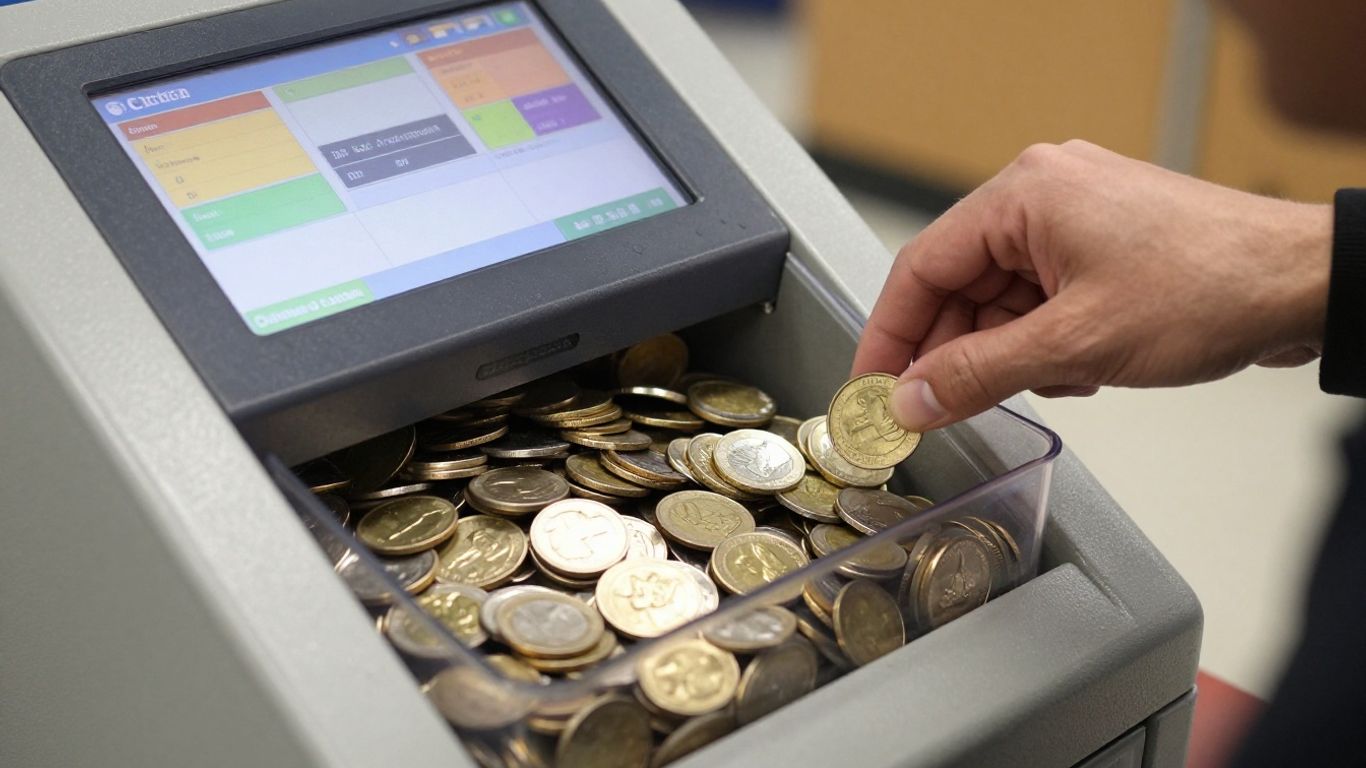
If you’re using a Coinstar kiosk in Austin, knowing what you’ll pay (or not pay!) can help you make the most out of your loose change. Coinstar isn’t always free when it comes to getting cash, but some options avoid fees entirely. Here’s a breakdown to help you plan your coin dump without surprises.
Understanding Service Fees for Cash
When trading coins in for cash, you’ll pay a fee for the convenience. Here’s how it generally works:
| Transaction Type | Fee (2026, can vary by location) |
|---|---|
| Cash Voucher | Up to 12.9% + $0.99 per transaction |
| eGift Card | 0% (No fee at most retailers) |
| Charity Donation | No fee to you, but charities may get a reduced amount |
A few things to note:
- Always check the screen at your Austin kiosk for the most up-to-date fees, as store locations can set different prices.
- The cash fee is taken out of your total before you get the voucher.
- There’s a minimum amount required ($5, sometimes $10) to cash out your coins, depending on the location.
Swapping a bucket of coins for cash feels great, but keep an eye on those fees so you’re not surprised by a lower payout.
Identifying Fee-Free eGift Card Options
Want to keep every penny? Opt for eGift Cards. Here’s why it works:
- You pay zero service fee when you pick from available gift card brands — which usually include big names like Amazon, Starbucks, and a handful of local restaurants and stores.
- Gift card availability can switch up, and not all kiosks carry every card.
- Watch for small print: a few specialty brands might come with small activation fees, but most don’t.
- Check the kiosk’s menu before dropping your coins for the full list—just tap through the eGift Card section.
Exploring Special Promotional Offers
Now and then, Coinstar’s machines run specials that sweeten the deal. Some examples from recent years:
- Bonus bucks on select eGift Cards (example: get $5 extra with $50 in coins)
- Seasonal reduced fees for cash options
- Charity partner matches, where a portion of your coin total gets matched by corporate sponsors
Always look for prompts on the kiosk’s home screen or visit Coinstar’s Special Offers web page before you drive over. These promos change monthly and aren’t always available at every Austin location.
If your coins have been collecting dust in that jar since 2023, see if there’s a promotion before cashing in. Little perks can make a nice difference.
Redeeming Your Coinstar Voucher
So, you’ve fed your coins into the Coinstar machine and now you’ve got a voucher in hand. What’s next? It’s pretty straightforward, but there are a few things to keep in mind depending on what you chose.
Same-Day Redemption for Cash Vouchers
If you opted to get cash for your coins, you’ll have a paper voucher. This voucher is like cash, so treat it with care! You need to take it back to the store where you used the kiosk to get your money. It’s really important to do this on the same day you get the voucher. This helps make sure you don’t lose it or have it stolen. If you can’t redeem it the same day for some reason, or if you have trouble reading it, your best bet is to call Coinstar customer service right away. They can’t replace a lost or stolen voucher, though, so keeping it safe is key.
Using Your eGift Card Codes
Choosing an eGift card is a popular way to avoid fees. Once the kiosk finishes counting, it’ll print a voucher with a unique code at the top. This code is what you’ll use to get your gift card value. You can use this code right away, either online or in the store of the retailer you selected. It’s pretty simple – just present the code when you’re making a purchase or redeeming it through the retailer’s website. No need to rush to the store the same day like with cash vouchers.
Keeping Charity Donation Receipts
If you decided to donate your change to a good cause, the kiosk will give you a receipt. This isn’t for immediate redemption like cash or an eGift card. Instead, keep this receipt for your own records. It serves as proof of your donation, which can be helpful if you plan to claim any tax deductions. Make sure the receipt has all the necessary details, like the amount donated and the charity’s name.
Here’s a quick look at what happens after you get your voucher:
- Cash Voucher: Take to the store cashier for same-day cash redemption. Keep it safe!
- eGift Card Voucher: Use the code at the specified retailer (online or in-store) anytime. No immediate action needed.
- Charity Receipt: Keep for your records, especially for tax purposes. No further action required.
Remember, Coinstar kiosks are designed for convenience. While they handle most coins, they can’t accept foreign currency or items like jewelry. Always check the return tray for any rejected coins after your transaction is complete.
Coinstar for Small Businesses
Counting Business Coin Collections
Running a business, especially one that deals with a lot of cash transactions, means you’re probably swimming in coins. Think about all those nickels, dimes, and quarters piling up from daily sales. It can become a real hassle to manage, sort, and eventually deposit all that change. Coinstar kiosks offer a straightforward solution for businesses looking to convert their accumulated coin into usable funds. Instead of spending hours rolling coins or making special trips to the bank, you can simply head to a nearby Coinstar kiosk. Just pour your business’s coins into the machine, and it does all the counting for you. It’s designed to handle large amounts, making it a practical tool for businesses of all sizes.
Benefits of Using Kiosks for Commerce
Using Coinstar for your business’s coin collection comes with several perks. It saves you time, which is money, right? No more tedious sorting or rolling. Plus, you get immediate access to your funds, either as cash or as an eGift Card, which you can then use for restocking supplies or other business expenses. This quick turnaround can really help with cash flow.
Here are some key advantages:
- Time Savings: Significantly reduces the time spent on coin management.
- Convenience: Kiosks are widely available in many retail locations.
- Flexibility: Choose between cash, eGift Cards, or even donating to charity.
- Accuracy: The machines are built to count coins precisely.
While there’s a fee for cashing out in actual currency, the option to receive eGift Cards often comes with no additional charge. This can be a smart way to get the full value of your coins back, especially if you frequent the retailers offering these cards.
If your business accumulates a substantial amount of coins, say over $3,000, it’s a good idea to contact Coinstar’s customer service beforehand. They might be able to offer special assistance to make the process smoother for very large coin volumes.
Customer Support and Assistance
Contacting Coinstar Customer Service
If you run into any snags with a Coinstar kiosk or have questions about their services, reaching out is pretty straightforward. The main way to get help is by calling their customer service line. They’re available seven days a week, which is pretty handy. You can usually catch them between 5 a.m. and 8 p.m. Pacific Time. It’s always a good idea to have your transaction details handy if you’re calling about a specific issue.
Troubleshooting Kiosk Issues
Most of the time, Coinstar kiosks work without a hitch. But if you find yourself with a problem, like the machine not recognizing your coins or a voucher not printing correctly, the first step is usually to try restarting the transaction if possible. If that doesn’t work, or if the issue is more serious, contacting customer service is the next best move. They can often guide you through common problems or advise on how to resolve issues with a specific kiosk.
Here’s a quick rundown of common issues and what to do:
- Transaction Errors: If the kiosk stops mid-transaction or shows an error code, note the code and call customer service.
- Voucher Problems: If your cash or eGift card voucher doesn’t print or is unreadable, contact support immediately.
- Coin Acceptance: While rare, if a kiosk seems to be rejecting a lot of coins, it might need servicing. Report this to customer service.
Sometimes, simple things like ensuring your coins are clean and dry can prevent issues before they even start. It’s a small step that can save you a headache later on.
Assistance for Visually Impaired Customers
Coinstar aims to make its services accessible. For customers who are visually impaired, the kiosks are designed with features to help. This can include tactile buttons and audio feedback. If you need specific assistance or have questions about using the kiosk with visual impairments, the customer service line is the best resource. They can provide detailed instructions or arrange for alternative support if needed.
What Coinstar Cannot Accept
Not every coin is right for the Coinstar machine—some things just won’t go through. The machine can only process specific US coins, and everything else is likely to be ejected or ignored. Let’s break down what you need to know before dumping that jar into your local kiosk.
Identifying Unacceptable Coin Types
Coinstar machines are designed for common US coins, but they struggle with unusual or non-standard currency. Here’s what you should leave out:
- Foreign coins (including Canadian coins and all others)
- Eisenhower silver dollars
- 1943 steel pennies
- Pure silver coins
- Commemorative or collectible coins
If you include these in your pile, don’t be surprised if you find them in the return tray or they don’t get counted.
Handling Valuables and Foreign Objects
Sometimes, people toss in other random things by accident. The machine really doesn’t like it:
- Jewelry
- Keys
- Screws, bolts, nails
- Arcade tokens or medals
- Paper clips
If you force non-coins into the kiosk, you might jam the machine or even damage it—and your transaction may not complete as planned. Double-check your change before pouring it in.
Special Assistance for Large Coin Amounts
If you’ve got a mountain of coins, say, over $3,000 worth, you shouldn’t just show up at the kiosk and hope for the best. Coinstar suggests calling their customer service line for help. They can provide assistance so the process goes smoothly and nothing gets stuck or lost along the way, especially since some machines might have limits or run out of space.
Here’s a quick reference table for what you should not feed to Coinstar:
| Not Accepted by Coinstar | Reason |
|---|---|
| Foreign currency | Not recognized |
| Eisenhower dollars | Not compatible |
| 1943 steel pennies | Machine rejects |
| Pure silver coins | Not designed for intake |
| Jewelry/valuables | Not coins |
| Keys/metal objects | May cause jams |
| Arcade/game tokens | Not US currency |
If you follow these guidelines, you’ll have a much better experience and avoid headaches at the kiosk.
Alternative Coin Services in Austin
Exploring Post Office Self-Service Kiosks
While Coinstar is the most well-known name in coin-cashing kiosks, you might find other options popping up. Some post offices, especially larger ones, have started offering self-service kiosks. These machines can be a good alternative if you’re already there for stamps or mailing a package. They generally work similarly to Coinstar, allowing you to dump your coins in and get a voucher. The exact services and fees can vary quite a bit, so it’s always a good idea to check with your local branch first.
Understanding Village Post Office Offerings
Village Post Offices, often found in smaller communities or as part of other retail stores, might have different coin-handling services. These aren’t always full-blown kiosks. Sometimes, they might offer manual coin counting or have arrangements with local banks. It’s less common to find automated machines here, but they can be a friendly, local option if available. You’d likely need to inquire directly about what they can do with your change.
National Retailer Coin Solutions
Beyond dedicated kiosks, some national retailers are exploring ways to help customers manage their loose change. This could include special collection bins or partnerships with coin-counting services. Keep an eye out at your favorite grocery stores or big-box retailers. Sometimes, these retailers offer store credit or gift cards with no fees, which can be a nice perk if you plan to spend your money there anyway. It’s worth asking customer service if they have any coin-related programs. For example, if you’re planning a trip, you might look into services like Hitch rideshare for your travel needs, though that’s a bit different from coin sorting!
Here’s a quick look at what you might encounter:
- Post Office Kiosks: Often found in larger branches, may have fees similar to Coinstar.
- Village Post Offices: Less likely to have kiosks, might offer manual services or bank partnerships.
- Retailer Programs: Could be bins, special counters, or gift card incentives.
When looking for alternatives, remember to check the fine print. Fees, redemption options, and accepted coin types can differ significantly from place to place. It’s always best to confirm the details before you commit your coins to a machine or service.
Wrapping Up Your Coin Journey
So, there you have it. Turning that jar of change into something useful in Austin is pretty straightforward these days. Whether you’re grabbing cash, picking up an eGift card, or even making a donation, the kiosks are there to help. Just remember to give your coins a quick clean before you go, and always check the voucher details before you leave the store. It’s a simple way to clear out those pockets and put your spare change to work. Happy coin-cashing!
Frequently Asked Questions
How do I use a Coinstar kiosk to sort my coins?
Using a Coinstar kiosk is super simple! Just pour your clean and dry coins right into the machine. You don’t need to sort them or put them in rolls beforehand. The kiosk does all the counting for you.
What are my options after my coins are counted?
Once Coinstar counts your change, you have a few choices. You can get cash back, but there’s usually a small fee for that. Alternatively, you can choose an eGift card for a store or restaurant, which often comes with no fees. Or, you can donate your coins to a charity.
Are there any fees for using Coinstar?
It depends on what you choose. Getting cash usually has a service fee. However, if you opt for an eGift card from one of their many partners, you can often avoid fees entirely. Donating to charity also typically doesn’t have a fee for you, though Coinstar might keep a small processing percentage.
What kind of coins can I put in the kiosk?
You can put most U.S. coins like pennies, nickels, dimes, and quarters into the kiosk. Just make sure they are clean and dry. Coinstar can’t accept special coins like silver dollars, foreign coins, or anything that isn’t regular currency.
Do I need to clean my coins before using the kiosk?
Yes, it’s important to make sure your coins are clean and dry. Remove any dirt, debris, or sticky stuff. This helps the machine count them correctly and prevents it from getting jammed.
How do I find a Coinstar kiosk near me in Austin?
Finding a kiosk is easy! You can use the Coinstar website or app to search for locations. Just enter your zip code or city, and it will show you the nearest places, usually in grocery stores or other retail spots.
What should I do if I have a lot of coins, like over $3,000?
If you have a very large amount of coins, more than $3,000, it’s a good idea to contact Coinstar customer service. They might be able to offer special help or guidance for handling such big coin collections.
Are there other places besides Coinstar to sort coins in Austin?
While Coinstar is the most common, you might find some self-service kiosks at certain Post Office locations or other national retailers. These can offer similar coin-counting services, though options might vary.